Tuesday, January 5, 2010

Electronic SDAC Launched

Happy 2010 From Therapylog.com

And welcome to a new era of RMS management.  This quarter marks our launch of a 100% online process for managing your SDAC random moment sampling. 

Now, as an SDAC coordinator, instead of keeping tons of paper around your office you can track who's done what with their moments at a glance:


Or, as an SDAC participant, you can get automated email reminders about your moments and just type in the details online instead of keeping track of your specific sheet of paper:


And given that this process is new, we're listening carefully for your feedback so that we can make it even better.  If you're a member of one of the districts that has elected to do your RMS electronically from now on, let us know what you think!  This is new stuff and we want to make whatever changes are necessary to make this process go as smoothly as possible.

~Ethan

Friday, November 13, 2009

The Amazing Expandable Hour!

Chalk another feature up to great suggestions from our users!  We got an email this week from Kara Baker (St. Louis Public Schools) where she made the following observation:


Sometimes I have 15 min sessions with some of my preschoolers, and whenever I schedule 4 of them in a one hour period, the sessions overlap with sessions before or after them, and you cannot see them as nicely as all the other sessions on my schedule for the day. There should be a way that the hour period expands to show each of these 15 min sessions so I can click on each session easily to edit/change/document the session. Thanks!

This is a great point! We hadn't considered that some therapists might have up so many appointments in so short a time, and the design of our website reflected that assumption;  but now we know better!  From today forward, on your day planner, if you have 2 or fewer items scheduled within an hour block, you will see the same sized hour period as you're used to:


However, if you continue to add more items to that hour, the period will automatically expand to accomodate your schedule:


Thanks, Kara, for the great suggestion.

Do you have another idea for how to make therapylog.com better?  Leave us a comment and let us know!

~Ethan

Tuesday, November 3, 2009

A new way to look at documentation

We had a great request from a therapist this week that really got me thinking.  This is from Catherine Weeks (Special School District):

some way of looking at student progress without having to generate an entire report. being able to click on a link to look at previous therapy day so I see what they did.

Of course our reports are available for large scale data extracts, but really what was needed here was a way to quickly reference progress while documenting in order to maintain continuity.  Thinking over her request, and doing some brainstorming with the development team here in the office, this is what we came up with:

Right now, there is a link on the documentation page for every goal.  In the past all it did was give you the full text of that goal, plus a few other supporting details. 


There's a new set of tools now, though.  When you click on those goal links in the documentation page, you'll be greeted with a new tabbed layout:


This first tab is the same as what was there before: the goal text plus any benchmarks and activities that were also recorded for this session.  The two tabs at the top of that window, though, are new.  "Progress graph", when clicked on, will provide you with the new charting feature that's available from the caseload, right here in the documentation area:


The final tab has a new set of information: all the previous comments and progress marks recorded for that goal, by date, all in a nice table for you:


If that doesn't make a therapist smile, I don't know what will.  :)

Thanks for the suggestion Catherine!  And if anyone else out there has ideas for how to make therapylog better, let us know!  We'd love to hear about it.

~Ethan

Thursday, October 29, 2009

Printable Graphs!

Last week we released a new feature to allow therapists to graph their student's progress by goal.  We've been overwhelmed and amazed by the number of requests we've had in the last couple days along the following lines:


I love the new graphs! How do I print them???

Well, the short answer was "You can't".  Our vendor for the charting software was going to charge a lot of money for the "print" feature, and it just didn't seem worth it.  However, given the amount of demand we've had so far, it's been nothing if not unavoidable. Therefor, we went ahead and spent the cash, and the ability to export and print this chart has now been integrated into our website.

Here are the instructions:

1) First, pull up one of the charts from your student's goal page:


2) Now right-click (ctrl-click for Mac) the chart to get the context menu:


3) From here you can choose which format you want.  JPEG and PNG are both image files (like a photo), and PDF is what a lot of documents come in.  All three are printable, but if you're unsure or uncomfortable I would recommend PDF as it should do all the page margins for you when printing.  Once you click on the format you want, you'll see the export process begin:
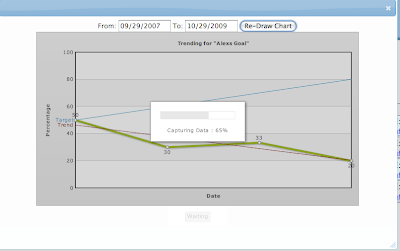


4) When the progress bar hits 100%, the button at the bottom of the chart will change from "Waiting" to "Save":


5) Click on that "Save" button at the bottom of the chart, and the file dialog will come up to help you save the file:


From there you can do what you want with it:  Print it off, put it in your files for the student, whatever you want.

Remember, we're here to help make this product better for you.  Your ideas are welcome, and if we hear it enough it will happen one way or another. :)

~Ethan

Making Copies

In a lengthy email exchange this morning, we had a discussion with a therapist who had a suggestion for therapylog.com.  Liane Garner (North Kansas City) wrote in and had something to say about how we currently copy scheduled days:


Hello, I was just wondering if there was a way to copy a day to several dates, not just one. Many of us have the same clients on the same days of the week and it takes quite awhile to copy a Monday to every Monday of that month. If not, it would be great to be able to copy a date ahead to 3 or 4 dates at a time. Thank you, Liane


This is not the first time we've had a request like this, and Charvel gave a detailed response as to why we try not to do features like this anymore (edited for brevity):

Liane,

...I hope to be able to explain some of our reasoning behind not adding a feature like this...A long time ago we had a feature similar to what you are requesting...but ultimately [that feature] ended up in confusion. When therapists would plan too far in advance...by the time they got to their therapy day almost everything in the plan had changed anyway...therapists became very frusterated with having to delete [a student who left the district] out of each appointment in the future they had placed...all the copying they had done ended up saving them very little time. The ability to copy into a new day was our 'middle of the road' solution. It allows for quick planning in the near future, especially for the therapists who have predominantly static schedules, and avoids the confusion of blanket scheduling that we ran into before...I find the best scheduling usually goes out no more then two weeks in advance...far enough so that you are really only 'planning' twice a month...

Charvel


Liane was very gracious and understanding, but was also clever enough to inquire about a bit of a compromise:

Thank you for responding to my suggestion so quickly. While I understand the thinking behind the decision to not allow copying too far ahead, it seems that at least being able to copy to 2 dates ahead would be beneficial. As far as planning goes, I find that no matter what I put in the "plan" part of the program, it invariably changes right before or during the session anyhow. I, almost always, edit the session before documenting. If I have a student taken out of a group, then, I edit them out at the documenting stage. But, the process of copying even one week to the next is taking additional time that could be cut in half with the ability to copy two weeks at a time. Thank you, Liane

And you know what? She's right. We don't want to open up the feature to indefinite copying, but her suggestion definitely has merit, and we try not to stand in the way of what people want.

Thus, it is my pleasure to introduce the new copy-day feature:


With the addition of the optional second date field, you can (if you wish) copy your appointments to the next two days they will fall on instead of just one.  Thanks for the feedback Liane, we always appreciate an opportunity to add something helpful.

Do you have an idea for another enhancement for Therapylog?  Let us know by leaving us a comment!

~Ethan

Tuesday, October 27, 2009

Better Report Format for Spreadsheets

There's been a problem for a while with our "spreadsheet" reports.  Not a problem, I guess, but more of a frustration.  We've been generating our reports in a "CSV" format (comma seperated value) because it's easy and Excel can read it (so can other spreadsheet programs).  However, the lack of formatting seems to throw some users off, especially those that are less comfortable with how Excel works.  In order to better cater to that group we're now experimenting with a new library that allows us to write directly to real excel (*.xls) files.  To try out this feature for your reports, and see if the format works better for you, see the screen shot below:


"CSV Spreadsheet" gives you the same spreadsheet report you're used to, but "Excel Spreadsheet" does the work of trying to format the columns to be the right length and things like that.  Try it out, and let us know what you think in the comments!

~Ethan

Friday, October 23, 2009

What to do about Inactive students

This week we had a question come in from Opal Shanks (Jackson R-2):

When I went into therapy log to find the students in question and make sure their IEP’s and Evals were correct, I could not find them in them listed in the student directory in therapy log. They are not showing up.  I now have the following questions: If they were made inactive, would they still show up in therapy log? Is there a chance that they could have deleted from the system when the system was updated?  Is there a place to go and look for inactive students? I believe inactive students used to show up in the student directory, but showed as inactive (there was a “make active” and “make inactive” area to click on). Where do the student’s go if we make them inactive and why can we not see them? Can we get them back?      

Ok, so maybe that's more than "a question", but it all concerns the same topic:  "How do I view my inactive students".  This comes right on the heels of another user who didn't want to see the inactive students in the roster anymore because it was cluttering the view up.  In order to solve both problems, there's a new link on the student roster page for admins that says "See Inactive Students".  This link will toggle the table to show you the inactive students only.  So now you can look at your student roster without getting bogged down by the students that aren't there anymore, but you can still go back and look at the students who used to be there (and make them active again if you want).

If you're an administrator, try it out and tell us what you think!

~Ethan